
Assisted discovery
Devices are detected on the network and on the workstation's PCIe and USB buses. New devices are listed for the operator to confirm before they join the map.
Platform
OnAirRender Studio is being developed to connect studio infrastructure, operational logic and production workflows within one extensible environment.
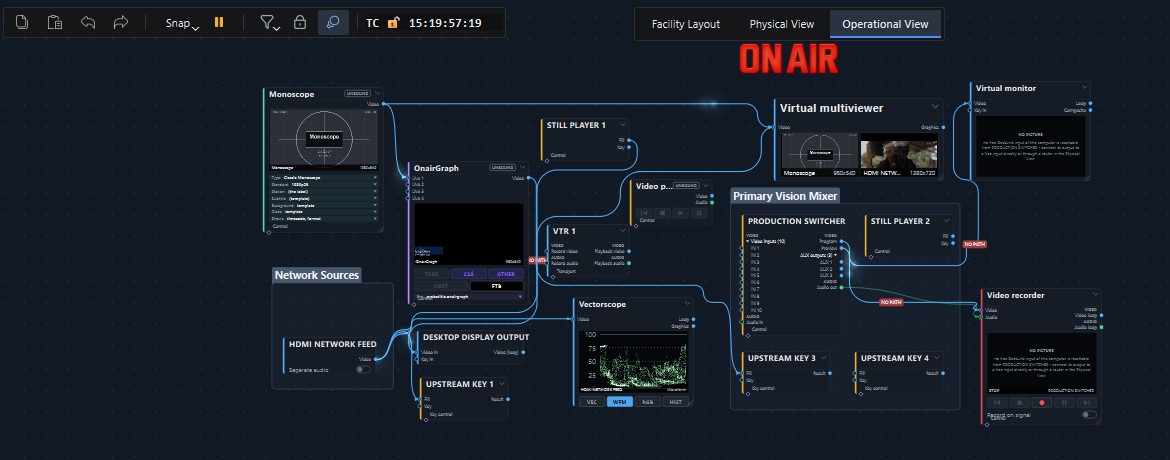
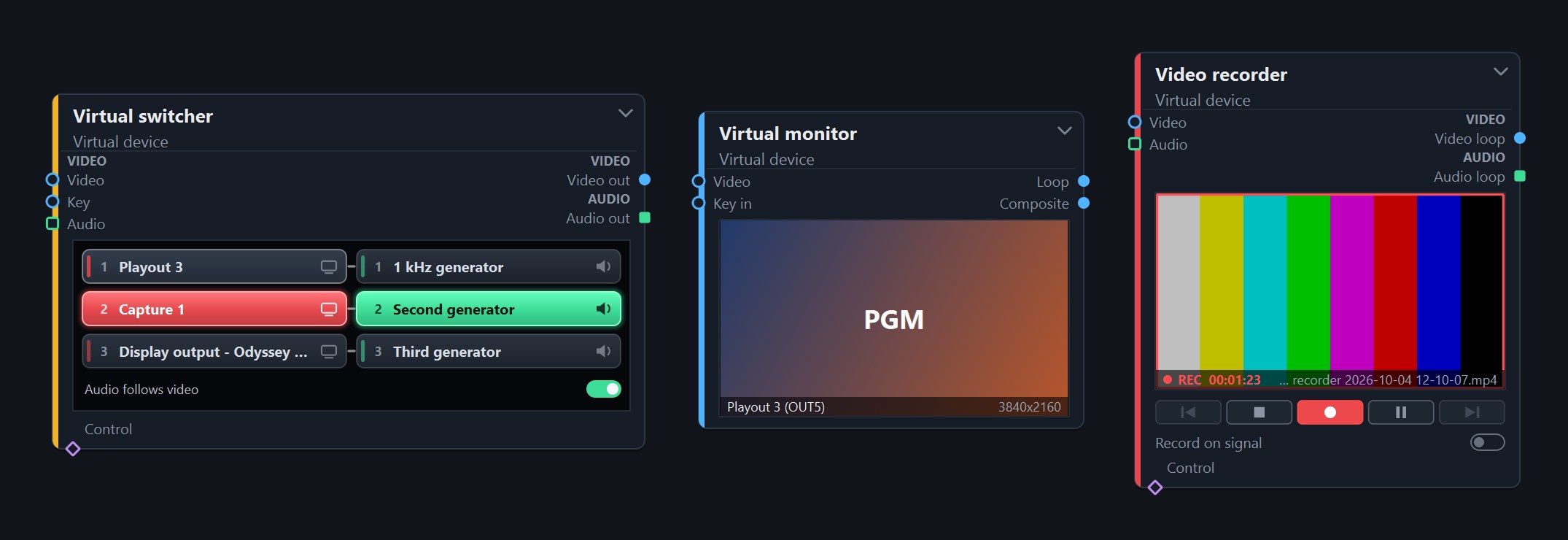
The Operational View is a node graph of the production's logical objects: sources, destinations and virtual devices. Ports carry meaning (video, audio, control), and every connection is a directed statement of intent. OnAirRender decides how each connection is fulfilled with the hardware assigned to the workstation.
The Physical View documents what is installed and how it is connected: devices, their connectors, the rooms they are in and the signal paths between them.
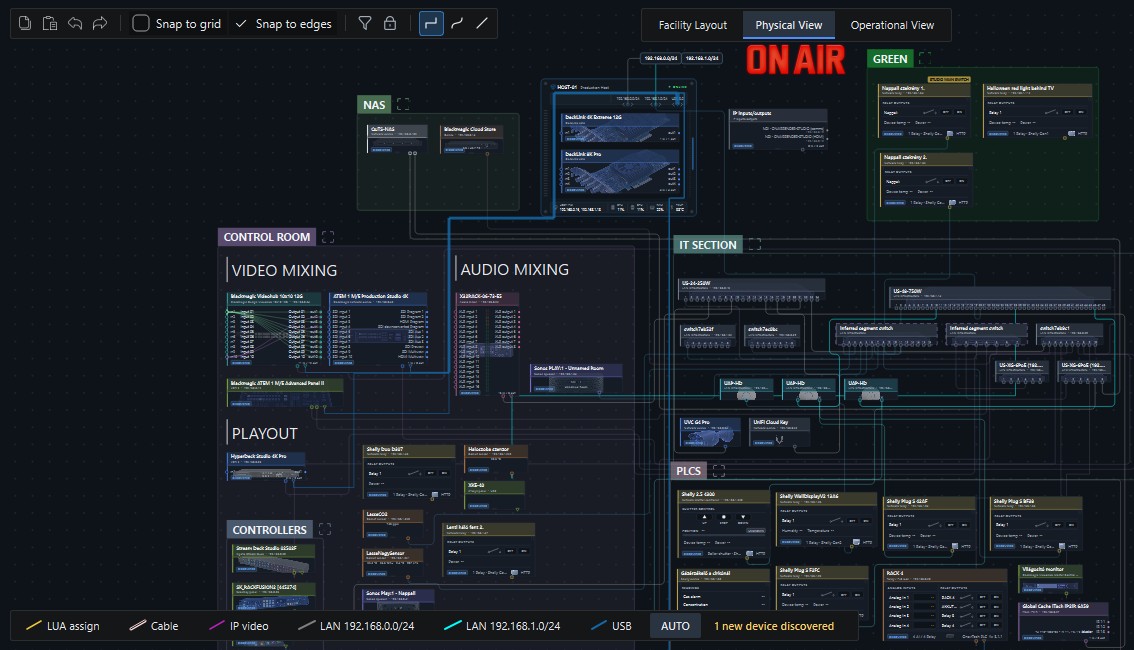
Devices are detected on the network and on the workstation's PCIe and USB buses. New devices are listed for the operator to confirm before they join the map.
Network links are inferred from switch data and shown as inferred. Video and audio cabling is documented by the user; it is not detected automatically.
A simple floor plan of rooms and labels. Devices refer to rooms, so the map stays organised as the installation grows.
Hardware capabilities become shared, reusable resources that operational objects can use.
Automation and scripting
OnAirRender embeds a Lua 5.4 runtime with a namespaced API that reaches every function of the platform, so any production task can be solved in script. A project declares the inputs and outputs it needs; each workstation fulfils the declaration from its own hardware configuration.
IO.declare {
    version = 1,
    inputs = {
        { alias = "Camera 1", kind = "video", audio = { "C1-L", "C1-R" } },
    },
    outputs = {
        { alias = "PGM", kind = "video", mode = "4k25" },
    },
}STREAM.route("Program", "PGM")
STREAM.route("Preview", "PGM")
LAYER.text("PGM", "clock", "12:34:56", 1600, 80, 64, "#ffffff", 1.0)Examples are taken unchanged from the application's built-in Lua API reference.
Functions grouped by domain, including IO, STREAM, LAYER, TIMER, DATA and NODE, with an interactive console for the running script. The Build menu checks every Lua file of the project with the Lua compiler and lists the errors.
Timers, sensor thresholds and control-surface actions trigger behaviour in the running project.
Running a complete programme from the Operational View alone, using actions, timers and panels instead of code.
Operator interface
Every project can carry its own operator interface. It is drawn in the built-in UI designer, saved with the project as main.ui, and comes to life when the project runs.
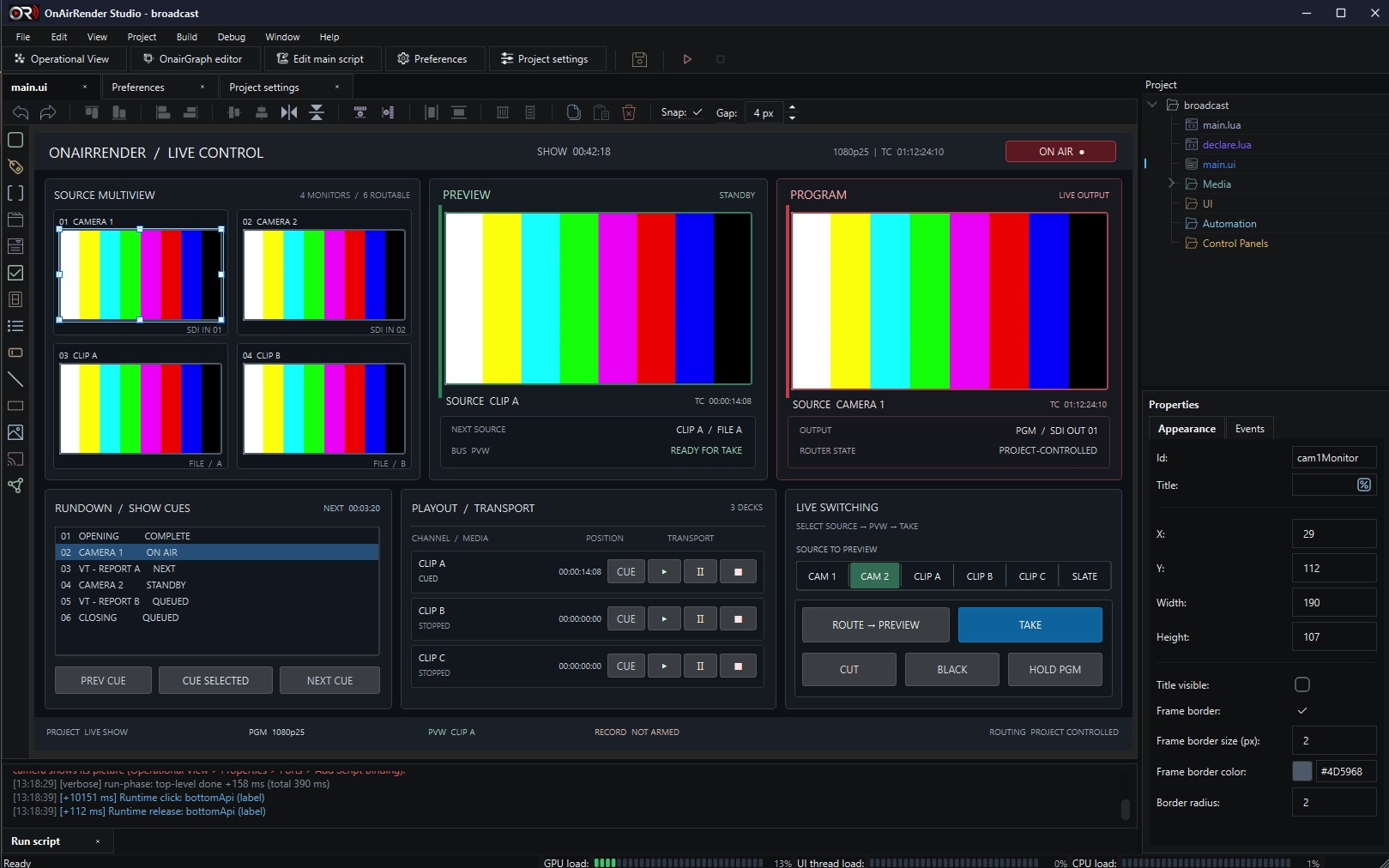
Buttons, labels, checkboxes, switches, dropdowns, lists, inputs, tabs, groups, images, lines and rectangles, placed with snapping and alignment tools and set up in a properties panel.
Screen controls show live video: any render stream of the project can be routed to them, so preview, program and source monitors sit right next to the buttons that drive them.
Control events call the project's Lua handlers, and the script can change any control at run time: labels, items, visibility, position or style.
Displayed texts can carry live values such as the time, the date, system load or a script variable, refreshed while the project runs.
Rendering and video workflows
The real-time engine composes render streams from layers and routes them to physical and preview outputs. Device I/O runs in separate worker processes.
SDI capture and playout through DeckLink cards and NDI reception, with held outputs that show an idle slate.
A virtual switcher with cut, mix, T-bar, downstream key and audio-follow-video. Wipe and DVE transitions are not part of it.
Streams routed to SDI outputs, desktop displays and preview monitors, with a multiviewer and test patterns.
Text, image, video and OnAirGraph layers composed with transparency over video. Graphics are designed in OnAirGraph.
Software recorders and HyperDeck control coordinated with the rest of the production.
An optional GPU compositing path that hands frames to the output workers as shared textures.
Device windows
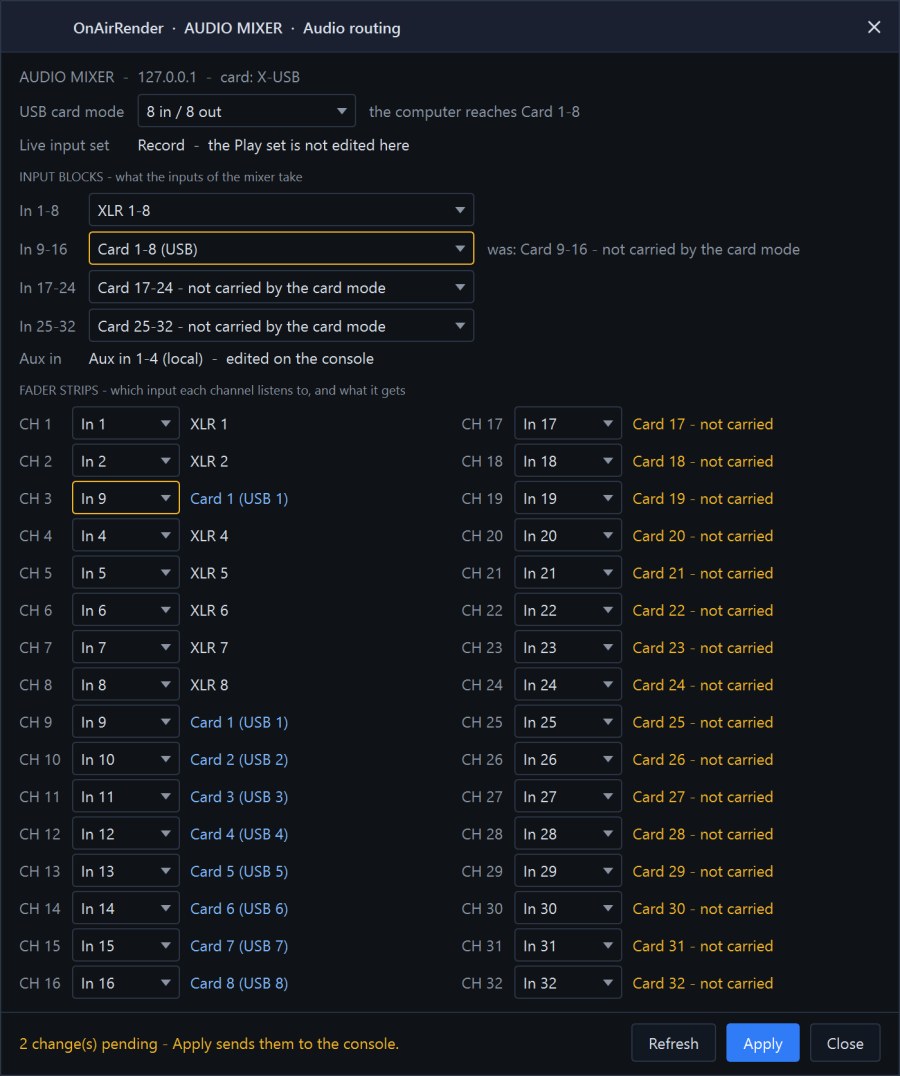
Connected devices open their own windows from the model. For an audio console, the routing window shows which inputs each channel listens to, what the card mode carries, and which changes are pending before they are applied.
Writing routing changes to a physical console is still being validated; the image shows simulated console data.
Technical foundation
Check the verified status of each device family, or talk to us about a specific installation.